11/11/2022
Project files hosted here
Preface
A Fightstick, also known as an Arcade stick, is a video game controller, designed for fighting games such as Street Fighter or Tekken. It typically features a joystick alongside 6 or more buttons for attacks.
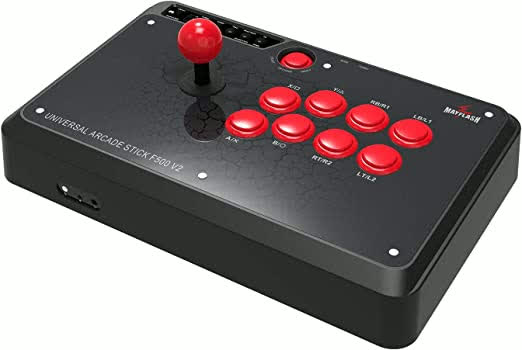
What a typical arcade fightstick looks like. Pictured is the Mayflash F500
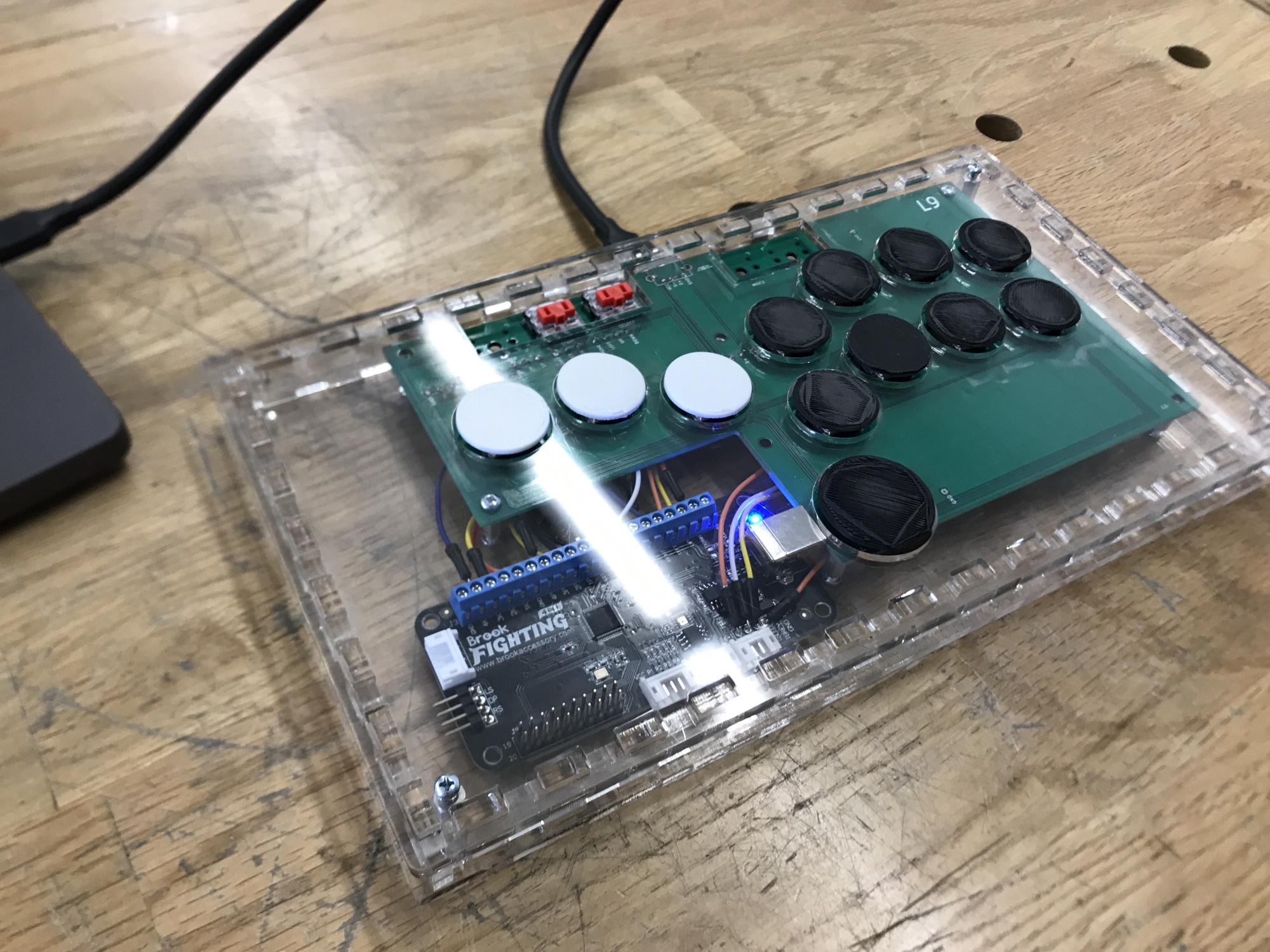
I decided to take the challenge of designing and building my own fight stick, dubbed the Fightstick project. However, I wanted to focus on creating a portable, minimalist design, so I spent much of the planning process figuring out ways to reduce the size of the fightstick. Notable design choices include:
- Using low-profile mechanical keyboard switches (Kailh Chocs) instead of standard Arcade-style buttons, which are typically thicker
- Using mechanical keyboard switches are best used on a PCB, so I had to design a custom keyboard PCB to mount the switches to
- Laser cutting a custom acrylic case to hold all the components at the desired dimensions
- Using four buttons instead of a joystick, since a joystick sticks upwards out of the case, making it more difficult to carry
- Soldering as many connections as possible, instead of using pin and header connections which take up more space
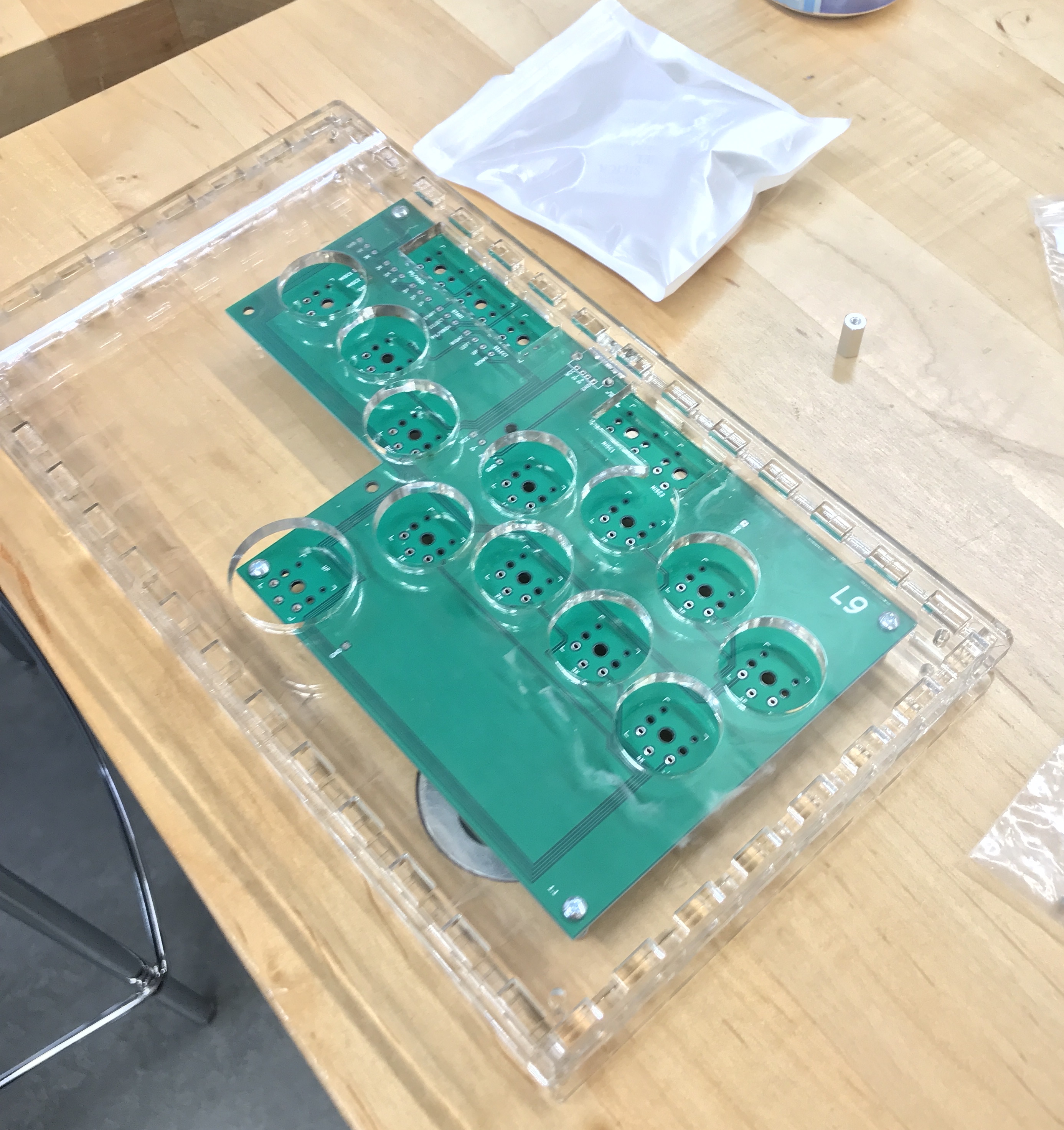
Pre-solder PCB in case)
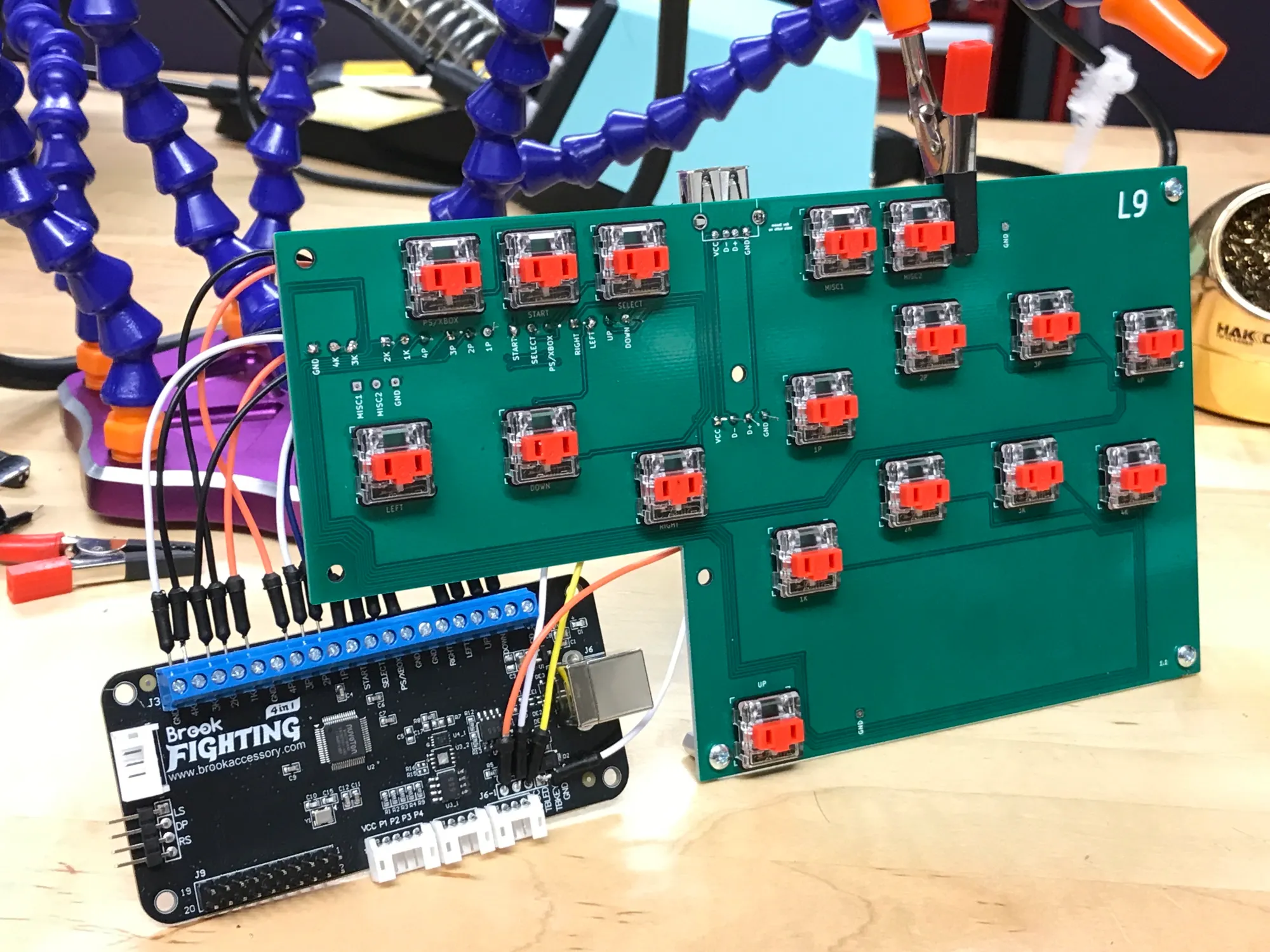
Fully soldered PCB)
Tools and parts used
- 4-40 Screws, nuts, standoffs
- 4.5mm Acrylic Sheets
- AutoCAD (Laser cut case design)
- KiCAD (PCB design)
- Solidworks (Keycap design)
- Brook™ Universal Fighting Board
- Kailh Choc Mechanical Keyboard Switches (red)
- Soldering tools, wires
- 3D Printer (Keycaps)
Mistakes and Lessons
In the process of doing this project, I have made several errors and learned much about electrical and product design. Errors include:
- Printing the PCB with the wrong footprint
- My first version of the keyboard PCB used the Cherry MX switch footprints, which were different than the Kailh choc switches I had. Thus I had to redesign and reorder the PCB with the correct Kailh footprints
- I learned that I need to do a better job of double and triple checking compatibility before I commit to a design
- Deciding a USB receptacle was faulty, when in reality the USB-C cable protocol was causing issues
- Upon soldering all my connections, I realized that plugging in my fightstick into my computer via USB A-C cable did not work at all. I labeled it as due to a faulty USB receptacle, and sought a replacement.
- However, upon replacing the USB receptacle, the issue still persisted, which led me to dig a little deeper. I eventually realized that the USB-C signal protocol is much more complex compared to USB 2.0, and it was likely causing my fightstick to not work.
- Upon resoldering all the appropriate connections to a new board, using a USB A-A cable resolved the issue.
- I learned that, whenever possible, keeping consistent supplies and equipment used on my project will reduce the risk of random issues or unknown details from affecting its function. If I was using a USB A-A cable from the start, I would have removed another potential point of failure from the project, as I can be sure the USB A-A cable behaves like a wire between my PC and the fightstick.
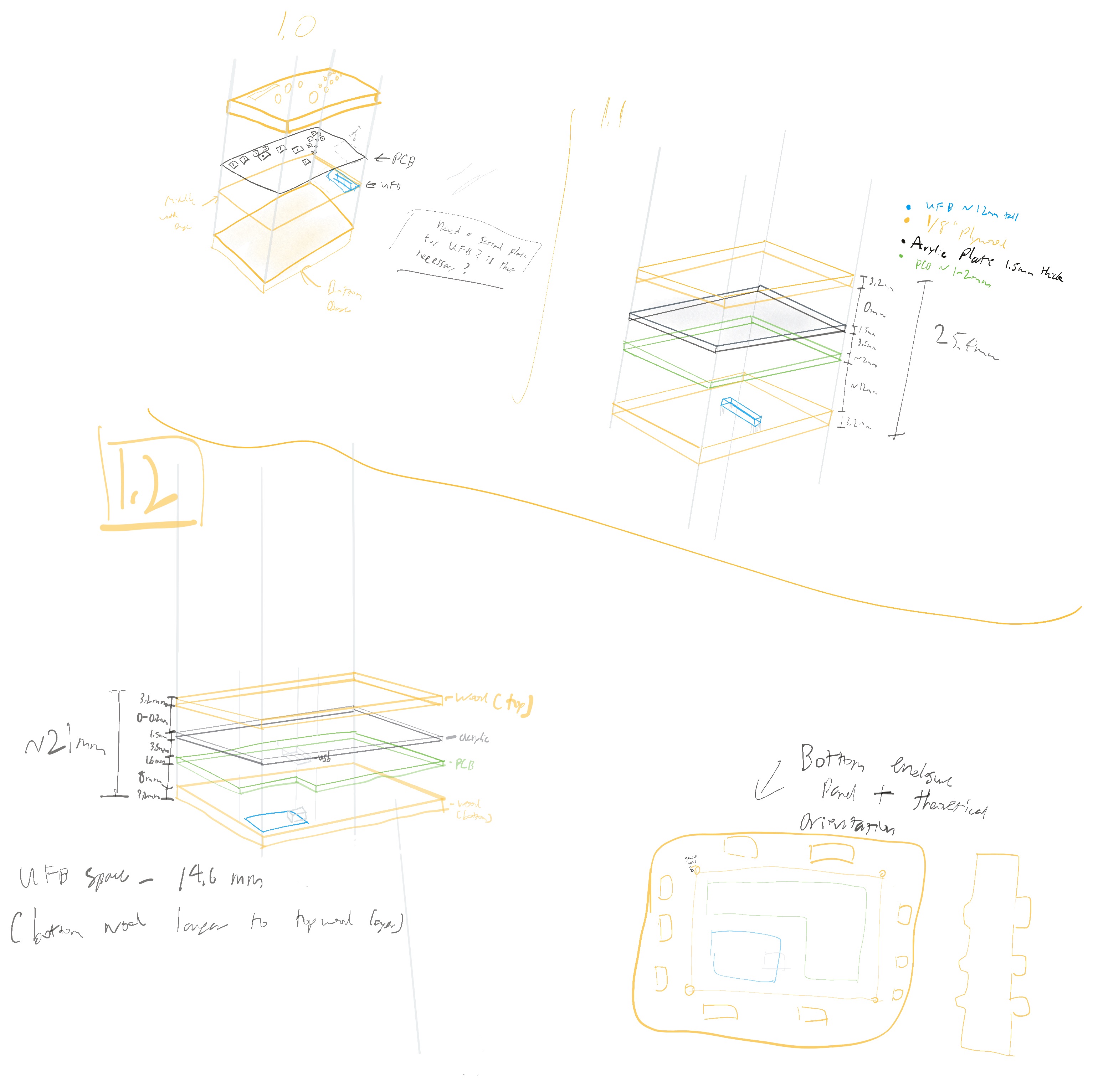
Original planning schematic/drawing
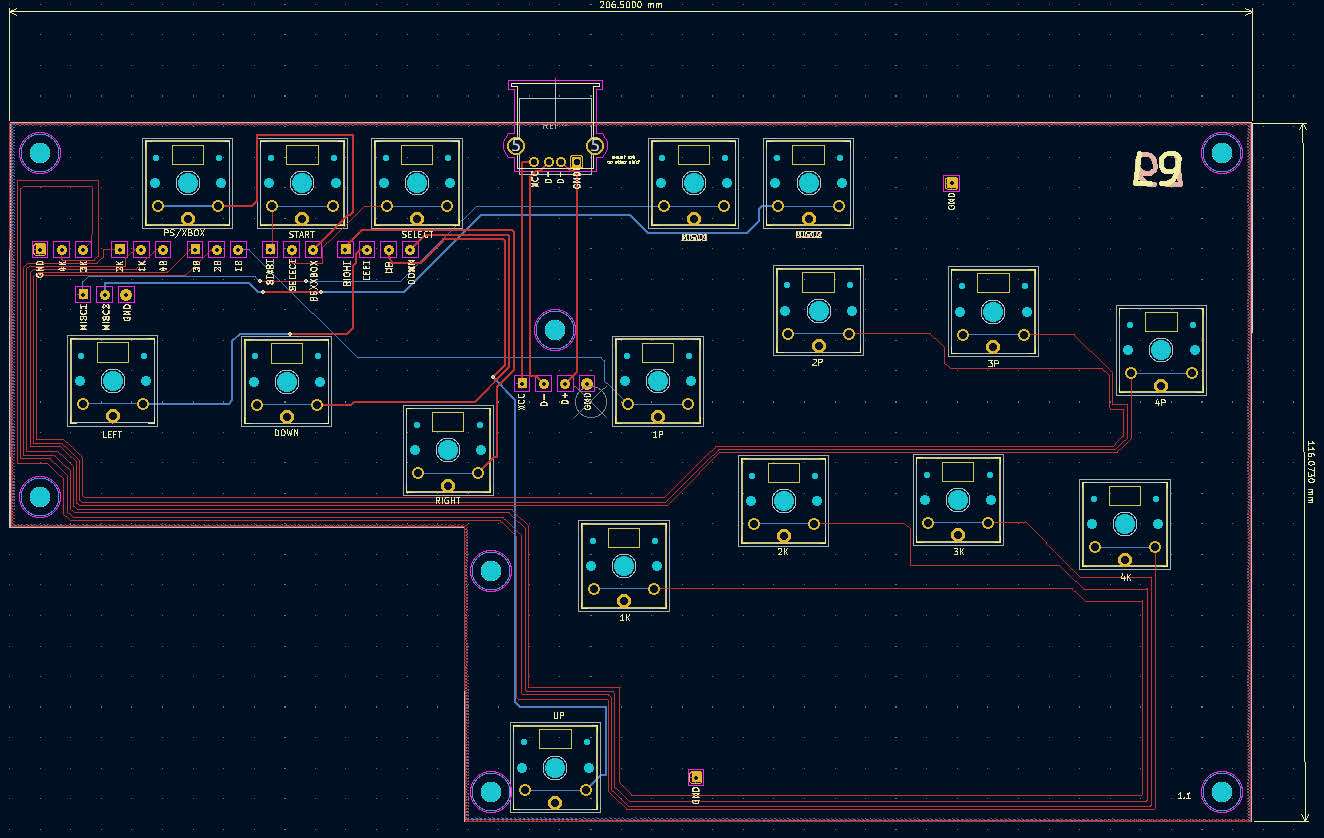
KiCAD PCB